PayPal 设置
Stream Toolkit 使用 Webhook 接收 PayPal 付款通知,不需要填入 API 金钥。
步骤一:在 Stream Toolkit 取得 Webhook 网址
- 开启 Stream Toolkit
- 点选左下菜单的 设置
- 找到 赞助平台对接 → PayPal
- 点击 获取网址 按钮
- 网址产生后,点击 复制 按钮

:::warning 注意 Webhook 网址含有专属 token,请勿公开分享。若怀疑外泄,可点击重新获取网址换发新网址(旧网址会立即失效)。 :::
步骤二:登录 PayPal 开发者后台
- 前往 PayPal Developer
- 点击右上角 Log in to Dashboard,用 PayPal 账号登录
- 登录后点击右上角的
</>按钮进入开发者后台

步骤三:切换到 Live 模式
确认左侧菜单上方的模式开关是 Live。如果显示为 Sandbox(测试模式),才需要切换:
- 找到左侧菜单上方的切换开关
- 点击切换为 Live

步骤四:前往 Webhooks 设置
-
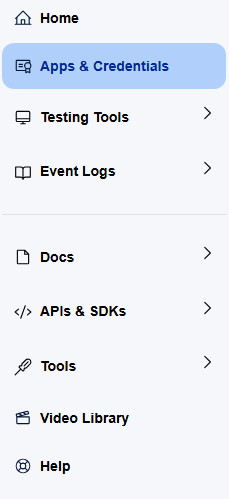
左侧菜单点击 Apps & Credentials
-
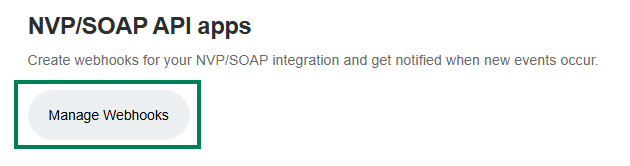
页面中找到 Manage Webhooks 按钮,点击进入
-
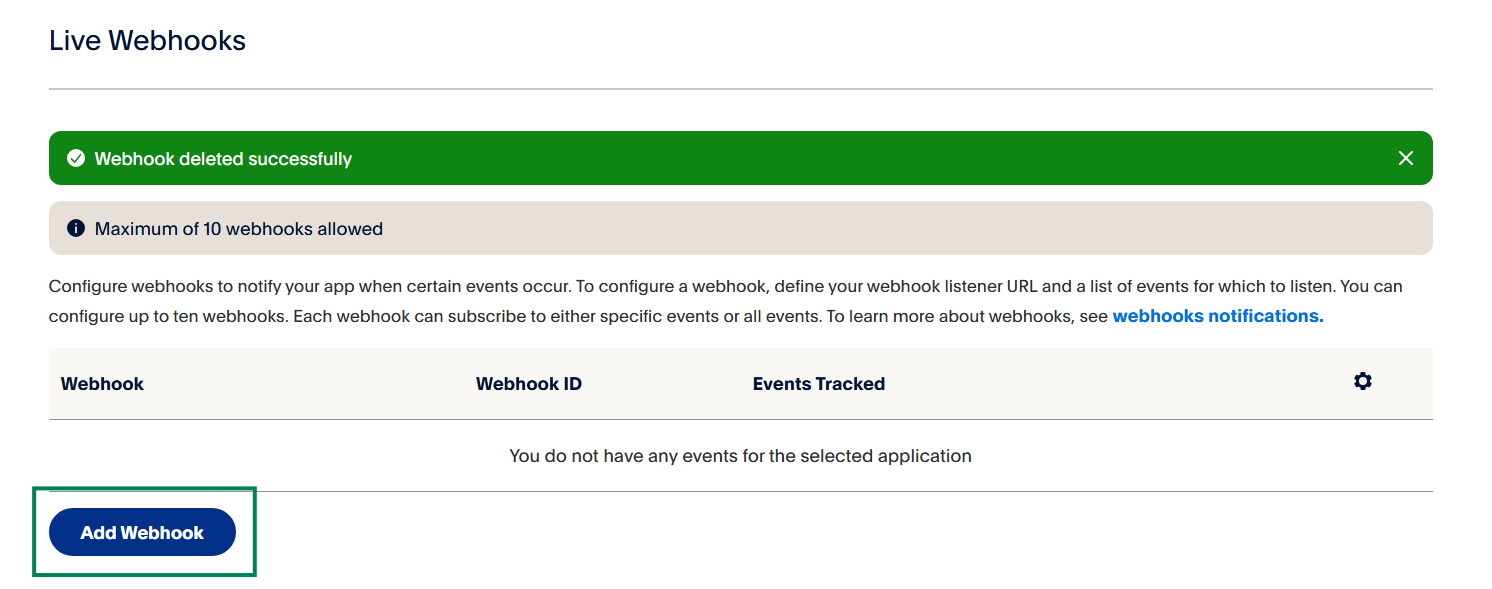
滑到页面最下方,点击 Add Webhook
步骤五:新增 Webhook
- 在 Webhook URL 栏位贴上刚才从 Stream Toolkit 复制的网址
- 在 Event types 找到 Payments & payouts 分类,勾选:
- ✅
Payment capture completed - ✅
Payment sale completed
- ✅
- 点击 Save
设置完成后,观众透过 PayPal 付款,Stream Toolkit 就会即时收到通知。
常见问题
Q:Sandbox 模式可以测试吗? 可以。在 Sandbox 模式下同样可以新增 Webhook,用于测试付款流程,但不会收到真实款项。
Q:Webhook 网址重新产生后怎么办? 需要回到 PayPal 后台,把旧的 Webhook 网址改成新的。