YouTube API 设置
本教学说明如何取得 YouTube Data API 的 API Key 和频道 ID,用于实况精彩标记功能。
YouTube Data API
步骤一:开启 Google Cloud Console
- 前往 Google Cloud Console
- 用你的 Google 账号登录
步骤二:启用 YouTube Data API v3
-
在上方搜寻栏搜寻
YouTube Data API v3
-
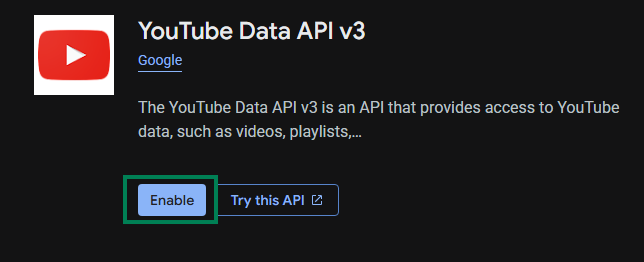
点击搜寻结果
-
点击 Enable
步骤三:建立 API 金钥
-
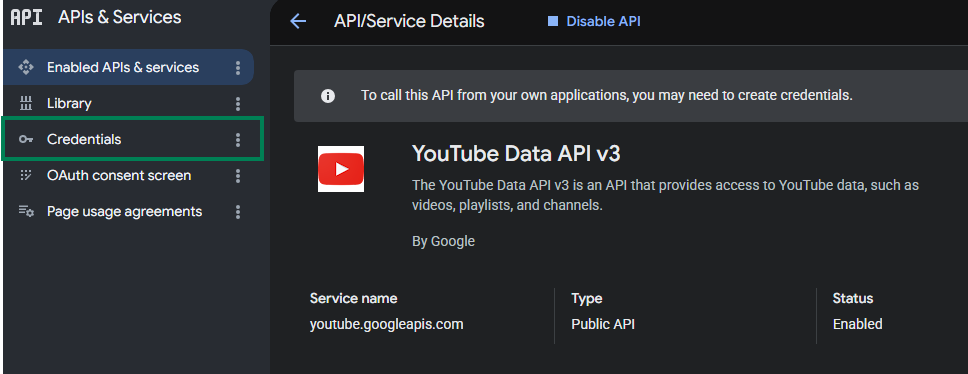
点击左方 Credentials
-
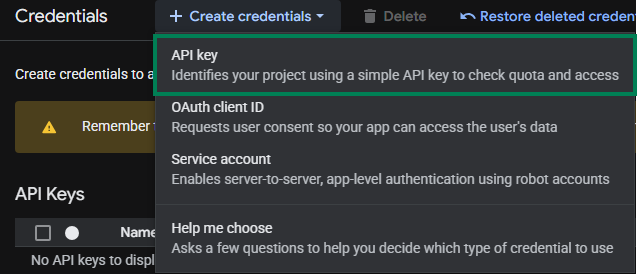
点选 Create credentials → API Key
步骤四:设置 API 金钥
-
Name 随意填(例如:
StreamToolkit) -
Select API restrictions 勾选
YouTube Data API v3后按 OK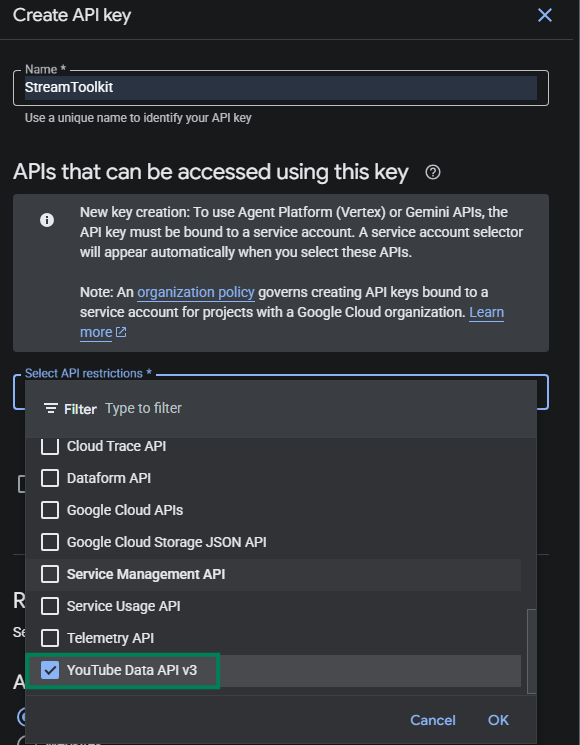
-
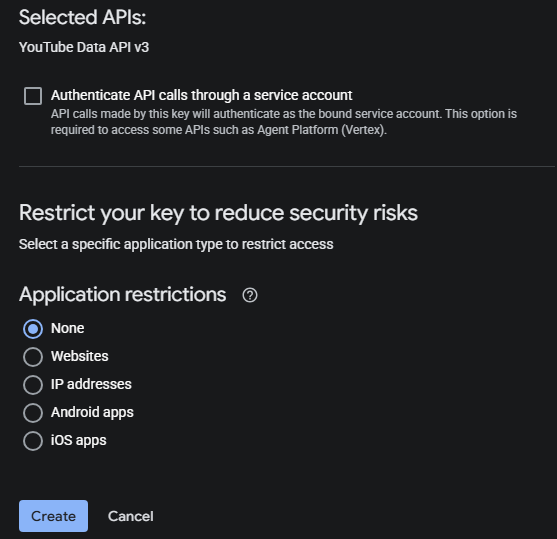
Authenticate API calls through a service account 不勾选
-
Application restrictions 选 None
-
点击 Create
步骤五:填入 App
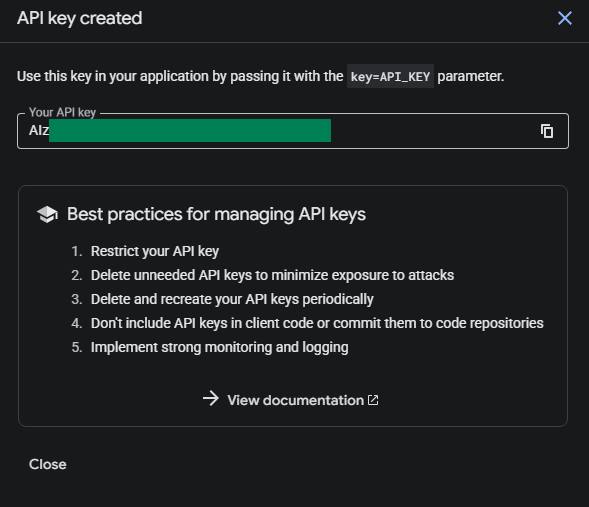
- 将得到的 API Key 贴入 App 中 YouTube API 栏位
频道 ID
步骤一:开启 YouTube 设置
- 前往 YouTube
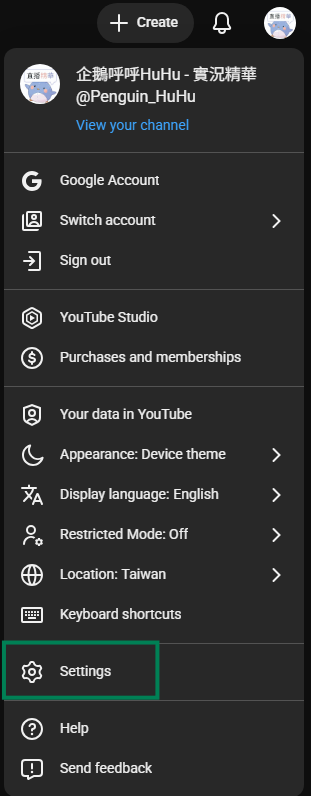
- 点选右上角头像
- 选择 设置
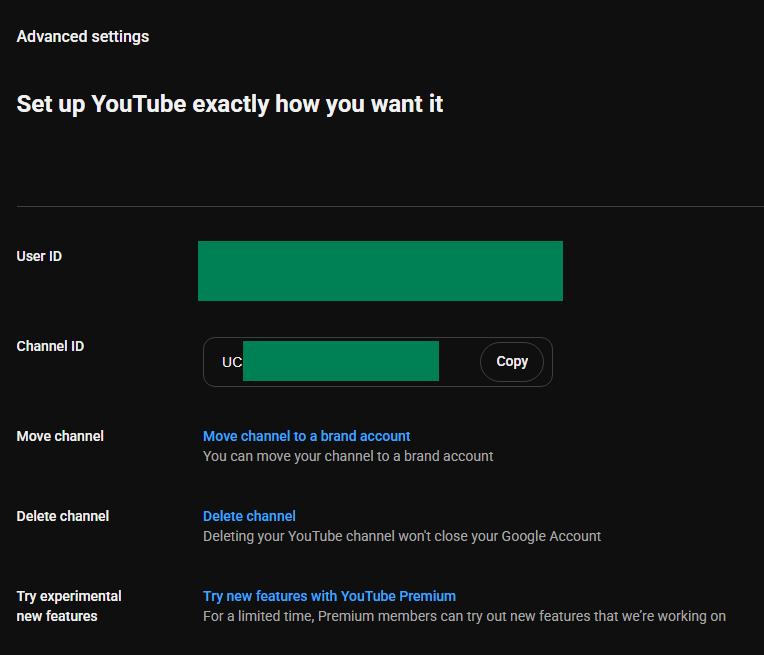
步骤二:取得 频道 ID
-
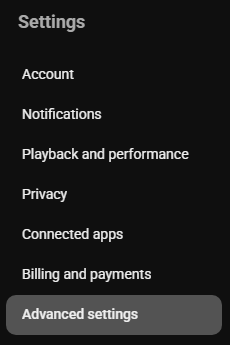
左侧栏位选择 高级设置
-
将 频道 ID 复制后贴回 App
常见问题
Q:API 金钥有使用量限制吗? 有。YouTube Data API v3 每天免费额度为 10,000 单位。一般直播用量不会超过。
Q:出现「API Key 无效」错误? 确认 YouTube Data API v3 已启用,且使用的是正确专案的金钥。
Q:金钥可以公开吗? 不建议。若金钥外泄被滥用,你的每日配额会被快速耗尽。