DeepL API Key 获取
DeepL API Key 用于以下功能的自动翻译:
- 语音翻译 — 将语音转文字后自动翻译
- 聊天室 — 自动翻译观众消息
步骤一:登录 DeepL 账号
前往 DeepL 并登录账号。若还没有账号,需先注册。
步骤二:进入 Account 设置
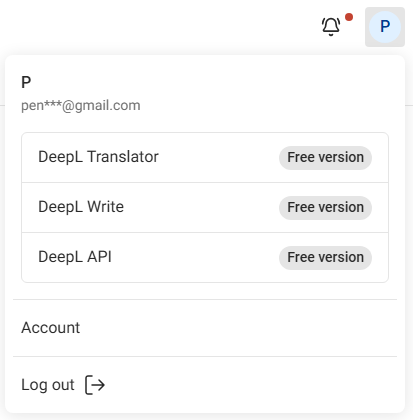
点击右上角的 头像图标,选择 Account。
步骤三:切换到 API Keys & limits 分页
点击 API Keys & limits 分页。

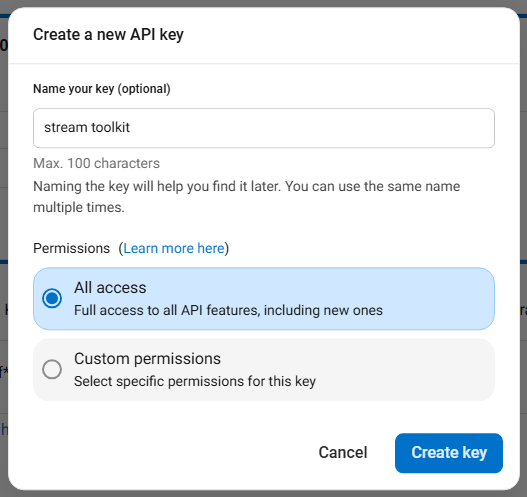
步骤四:建立新的 API Key
- 点击 Create key +
- Name your key:随意输入名称(例如
Stream Toolkit) - Permissions:选择 All access
- 点击 Create Key

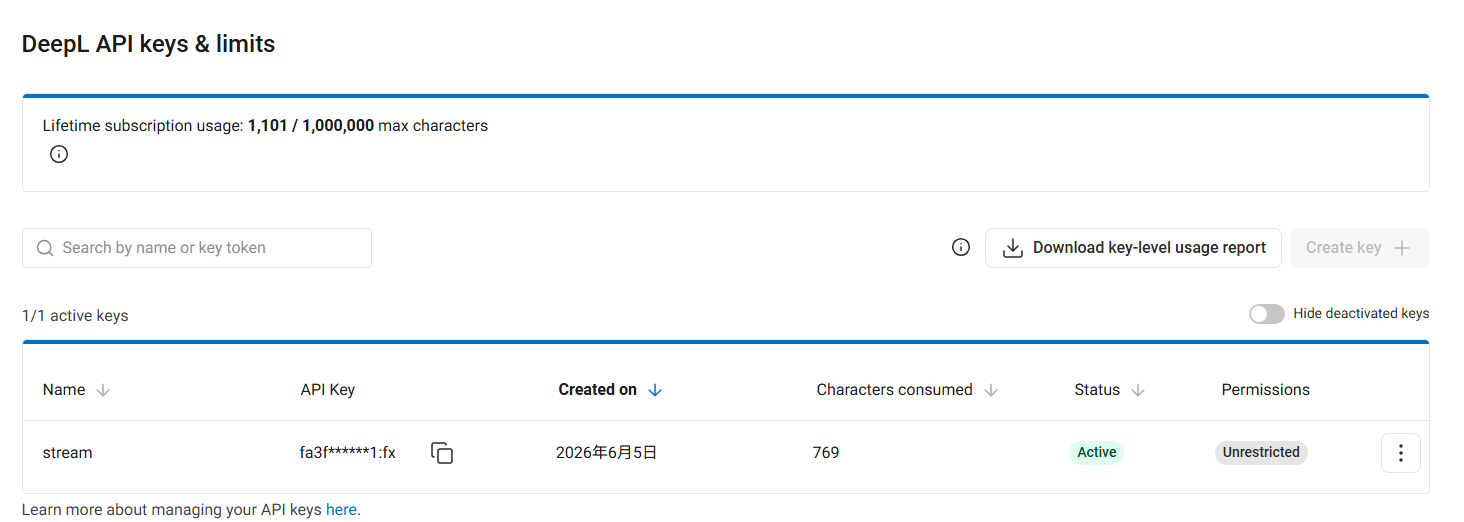
步骤五:复制并填入 App
- 复制产生的 API Key
- 回到 Stream Toolkit,贴入对应的 DeepL API Key 栏位
常见问题
Q:DeepL 免费试用版有用量限制吗? 有。免费试用版提供 1,000,000 字元额度,且仅限一个月内使用。如需持续使用高质量翻译,请自行订阅 DeepL 付费方案。
Q:API Key 外泄怎么办? 回到 DeepL Account → API Keys & limits,删除旧的 Key 并重新建立一个。