YouTube API 設定
本教學說明如何取得 YouTube Data API 的 API Key 和頻道 ID,用於實況精華標記功能。
YouTube Data API
步驟一:開啟 Google Cloud Console
- 前往 Google Cloud Console
- 用你的 Google 帳號登入
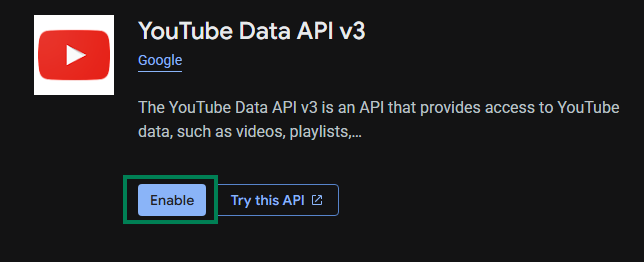
步驟二:啟用 YouTube Data API v3
-
在上方搜尋列搜尋
YouTube Data API v3
-
點擊搜尋結果
-
點擊 Enable
步驟三:建立 API 金鑰
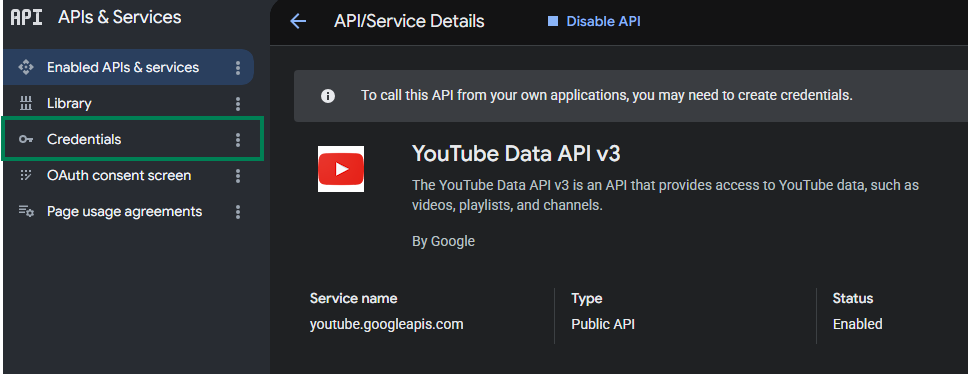
-
點擊左方 Credentials
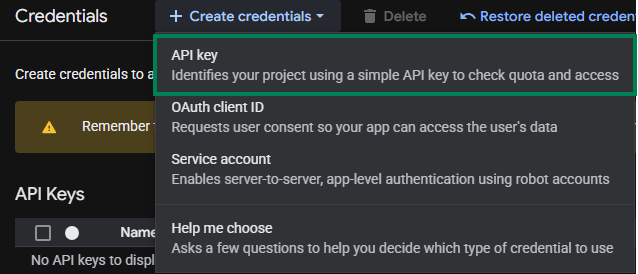
-
點選 Create credentials → API Key
步驟四:設定 API 金鑰
-
Name 隨意填(例如:
StreamToolkit) -
Select API restrictions 勾選
YouTube Data API v3後按 OK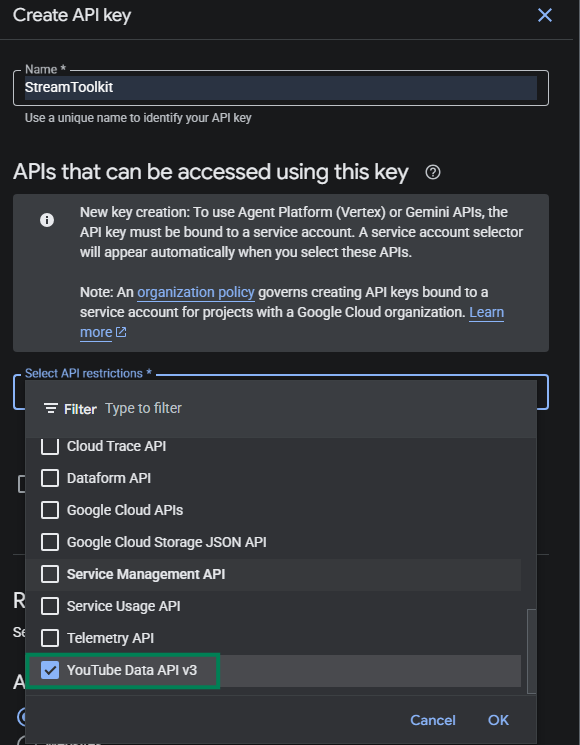
-
Authenticate API calls through a service account 不勾選
-
Application restrictions 選 None
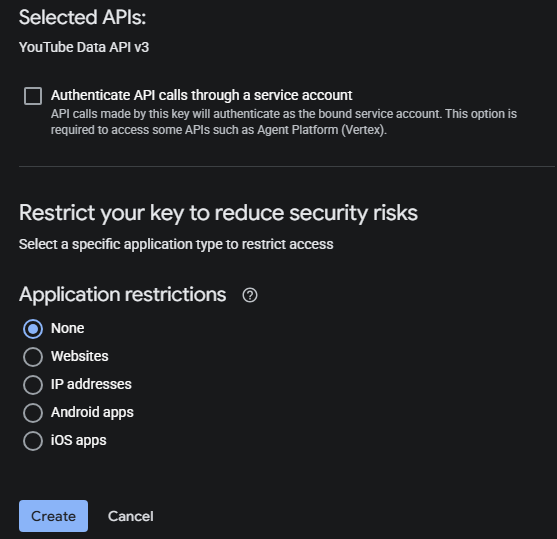
-
點擊 Create
步驟五:填入 App
- 將得到的 API Key 貼入 App 中 YouTube API 欄位
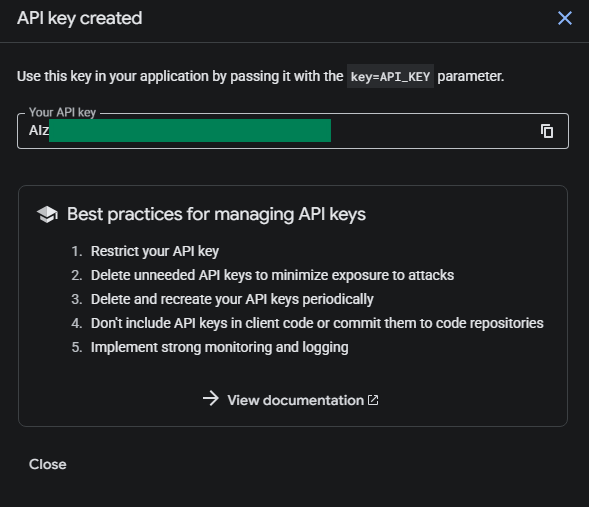
頻道 ID
步驟一:開啟 YouTube 設定
- 前往 YouTube
- 點選右上角大頭貼
- 選擇 設定
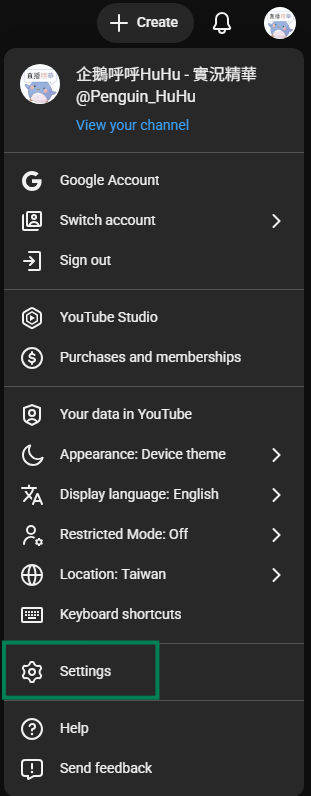
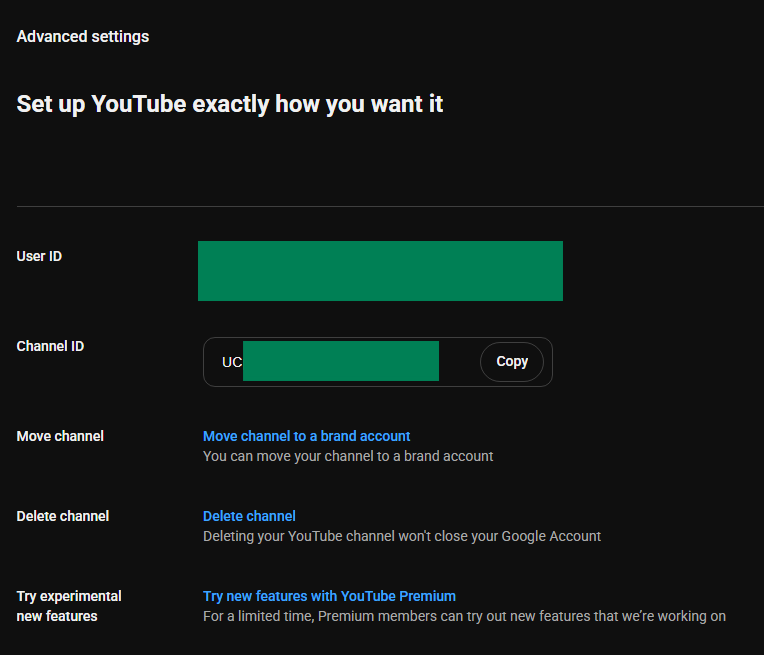
步驟二:取得 頻道 ID
-
左側欄位選擇 進階設定
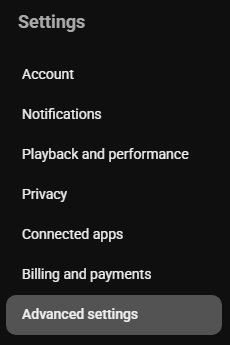
-
將 頻道 ID 複製後貼回 App
常見問題
Q:API 金鑰有使用量限制嗎? 有。YouTube Data API v3 每天免費額度為 10,000 單位。一般直播用量不會超過。
Q:出現「API Key 無效」錯誤? 確認 YouTube Data API v3 已啟用,且使用的是正確專案的金鑰。
Q:金鑰可以公開嗎? 不建議。若金鑰外洩被濫用,你的每日配額會被快速耗盡。