DeepL API Key 取得
DeepL API Key 用於以下功能的自動翻譯:
- 語音翻譯 — 將語音轉文字後自動翻譯
- 聊天室 — 自動翻譯觀眾訊息
步驟一:登入 DeepL 帳號
前往 DeepL 並登入帳號。若還沒有帳號,需先註冊。
步驟二:進入 Account 設定
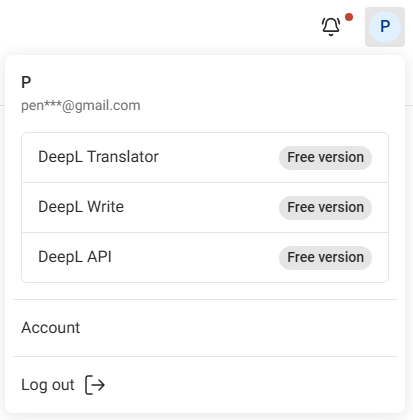
點擊右上角的 頭貼圖示,選擇 Account。
步驟三:切換到 API Keys & limits 分頁
點選 API Keys & limits 分頁。

步驟四:建立新的 API Key
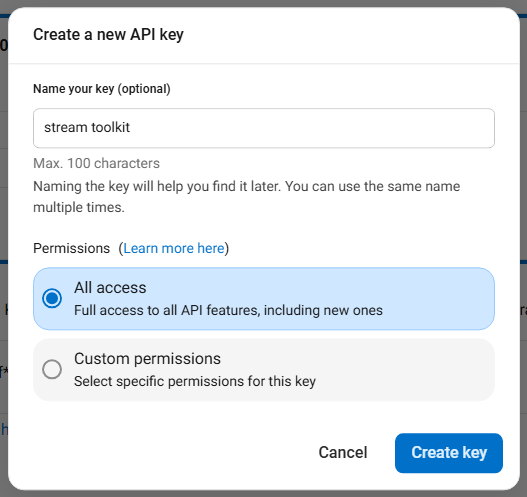
- 點擊 Create key +
- Name your key:隨意輸入名稱(例如
Stream Toolkit) - Permissions:選擇 All access
- 點擊 Create Key

步驟五:複製並填入 App
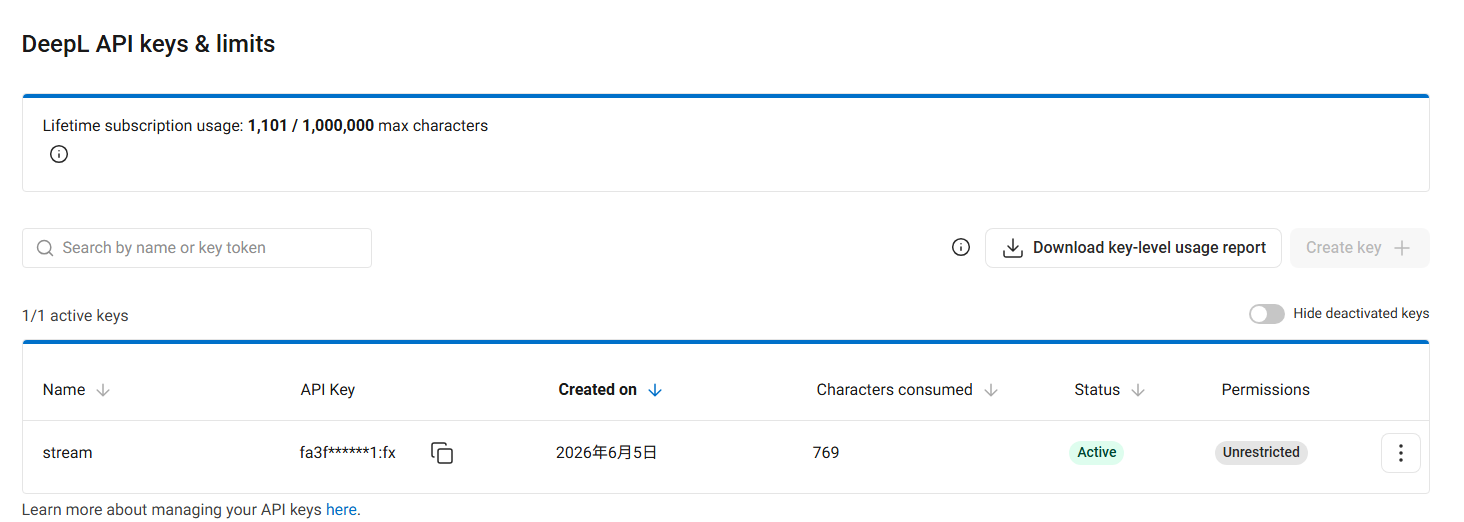
- 複製產生的 API Key
- 回到 Stream Toolkit,貼入對應的 DeepL API Key 欄位
常見問題
Q:DeepL 免費試用版有用量限制嗎? 有。免費試用版提供 1,000,000 字元額度,且僅限一個月內使用。如需持續使用高品質翻譯,請自行訂閱 DeepL 付費方案。
Q:API Key 外洩怎麼辦? 回到 DeepL Account → API Keys & limits,刪除舊的 Key 並重新建立一個。